Excel becomes the official truth
When people work from separate spreadsheets, HR becomes the sole translator of reality. That doesn't scale.
OutOfDesk brings requests, approvals, team calendar, and history into one clear workflow so HR stops chasing follow-ups, managers stop deciding blindly, and employees stop pushing for answers.
199 RON one-time activation + 5 RON / employee / month. Clear pricing, no obscure setup, no vague promises.
for HR
clearer
fewer reconstructions and manual follow-ups
for managers
no guessing
decisions come with context, not from pressure
for business
predictable
calendar, audit, and cost easy to defend
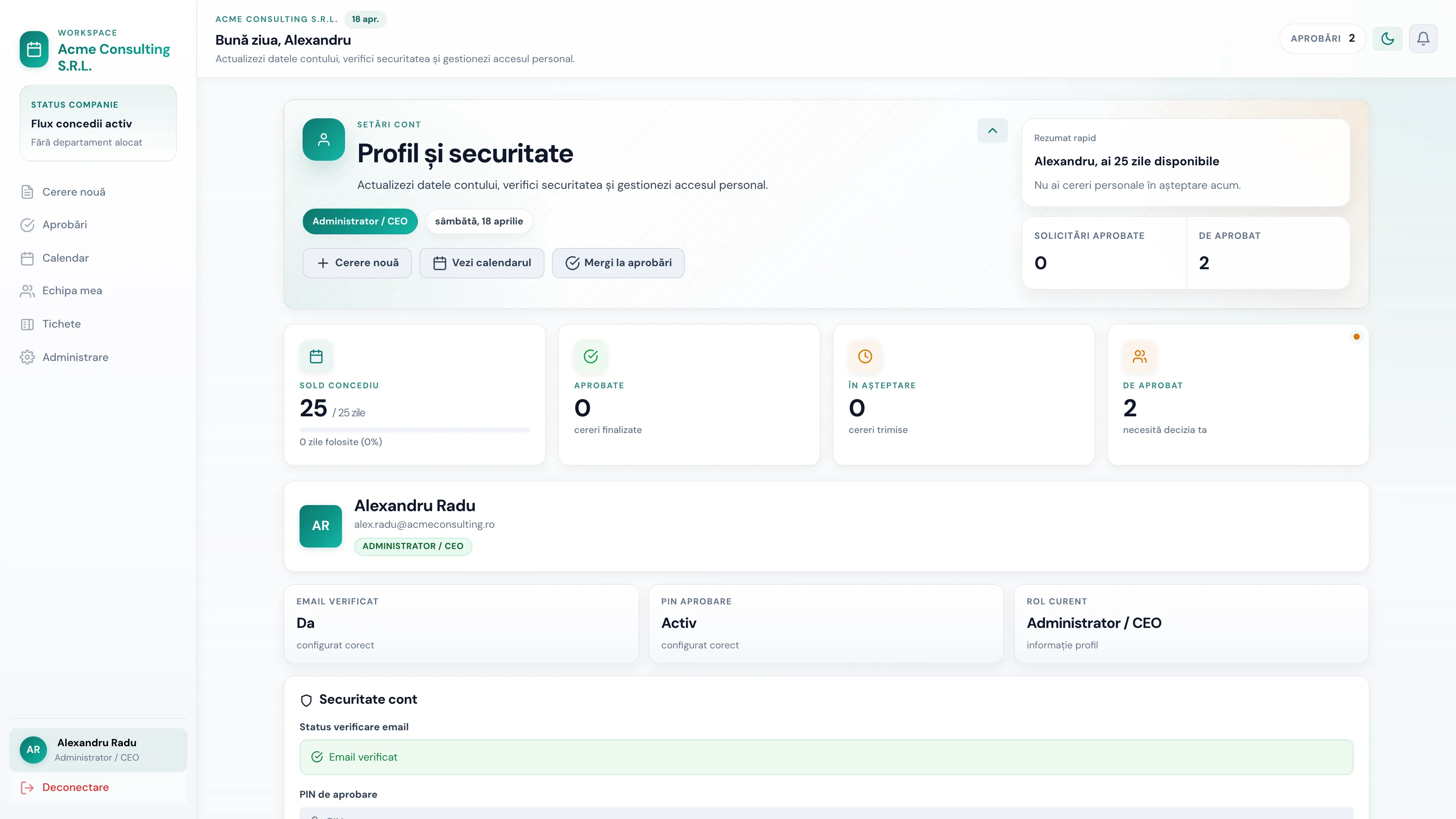
what you understand in the first 15 seconds
HR sees instantly where an approval is stuck and which exceptions need attention.
The manager understands whether coverage remains before saying yes or no.
The employee tracks the status without starting yet another follow-up.
proof
Real screens
You don't ask people to believe. You show them the interior, the workflow, and the relevant screens.
trust
What the buyer gets from the first visit
what you buy
Operational predictability, not just a nice form.
This is the kind of clarity that makes the budget easier to justify internally.
When the manager, HR, and the employee work from different versions of reality, delays, overlaps, and unnecessary frustrations appear. OutOfDesk puts the same information in the same workflow.
The manager wants a quick answer
but without risking leaving the team uncovered.
HR wants control
but without being the manual glue holding all the data together.
When people work from separate spreadsheets, HR becomes the sole translator of reality. That doesn't scale.
Managers decide too late because they don't have the balance, overlaps, or team coverage at hand.
When the process feels arbitrary, frustration grows and every leave becomes an unnecessary negotiation.
If you have between 20 and a few hundred employees, multiple managers, or days when absences directly impact operations, OutOfDesk helps you move from reacting to being in control.
You have a clear source for requests, approvals, balances, and history. This reduces searching, manually explained exceptions, and repetitive discussions.
Impact: fewer repetitive questions and a single source of truth for the process.
You see coverage before you approve. The decision no longer comes from pressure but from context: who is absent, what overlaps, and what remains uncovered.
Impact: faster decisions and fewer approvals that create operational gaps.
You better control operational risk, maintain traceability, and eliminate processes that depend on a single person in HR.
Impact: a process easy to defend internally and less risk when exceptions or audits arise.
The real benefit is not just that requests look good. The real benefit is that approvals come on time, coverage is visible, and history remains clear when you need it.
The employee sees the balance, submits the request, and gets a response on a predictable path. The manager doesn't decide on half the context.
Less hesitation, less delay, fewer excuses.
History, status, calendar, and exceptions live in the same place. HR no longer manually pushes information from one spreadsheet to another.
Time shifts from administration to control.
When the question 'who approved and why' comes up, the answer already exists. It's not reconstructed after the fact.
This reduces risk, not just friction.
Fill in the essential details, see the cost immediately, and know exactly what comes after payment. No forms that seem never-ending.
The administrator and managers enter a workflow where roles, approvals, and the calendar follow the same logic from the start.
The request comes in, the approval is visible, the team understands its coverage, and HR no longer reconstructs context manually.
In a few seconds you understand what the command center, calendar, and approvals look like. This builds confidence that the product can be introduced into your team without surprises.
live product
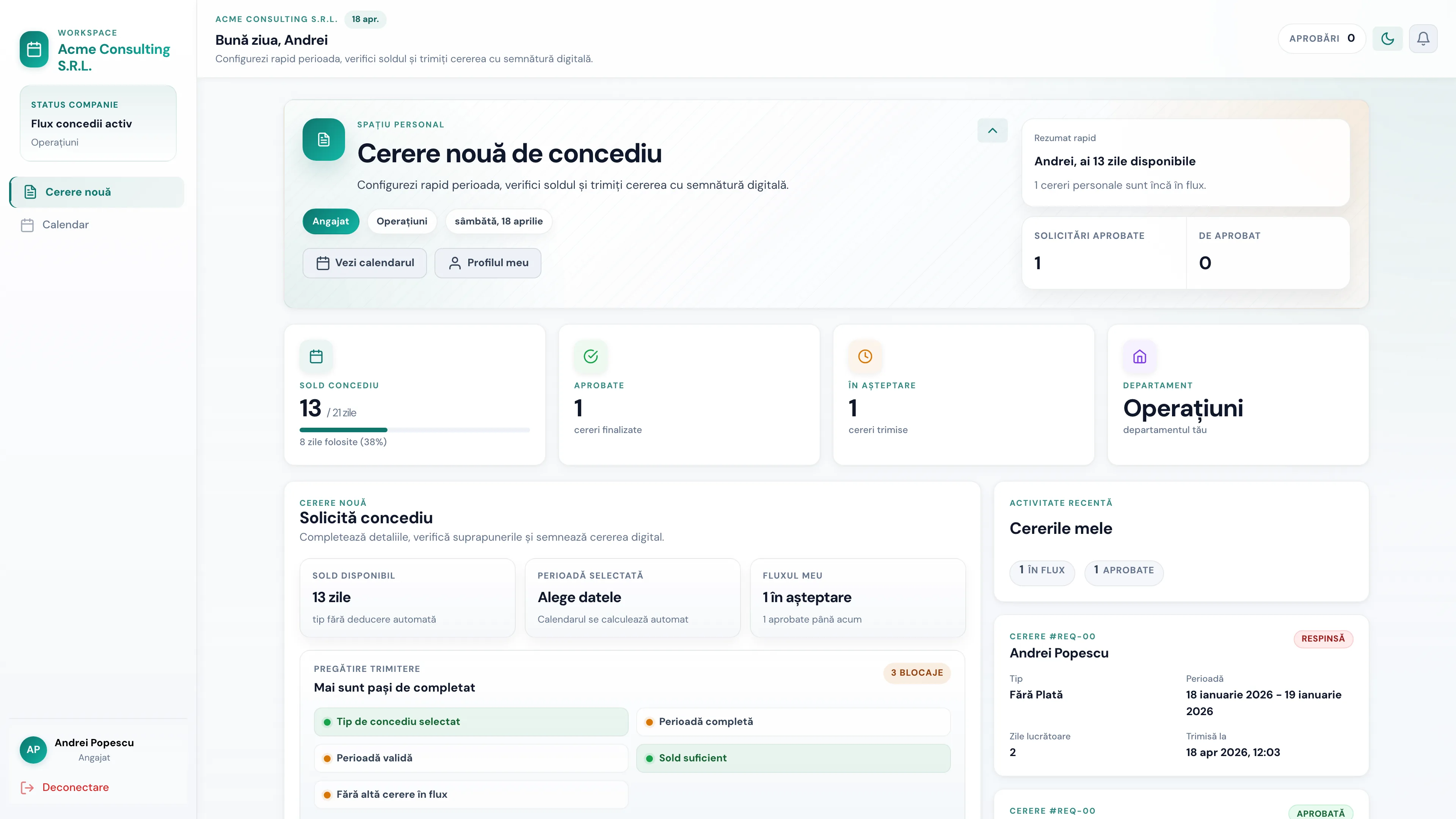
Command center for HR and managers
Requests, overlaps, and decisions on a single screen.
What you see immediately
Requests, overlaps, and decisions on one screen that shows the product is already ready for real use.
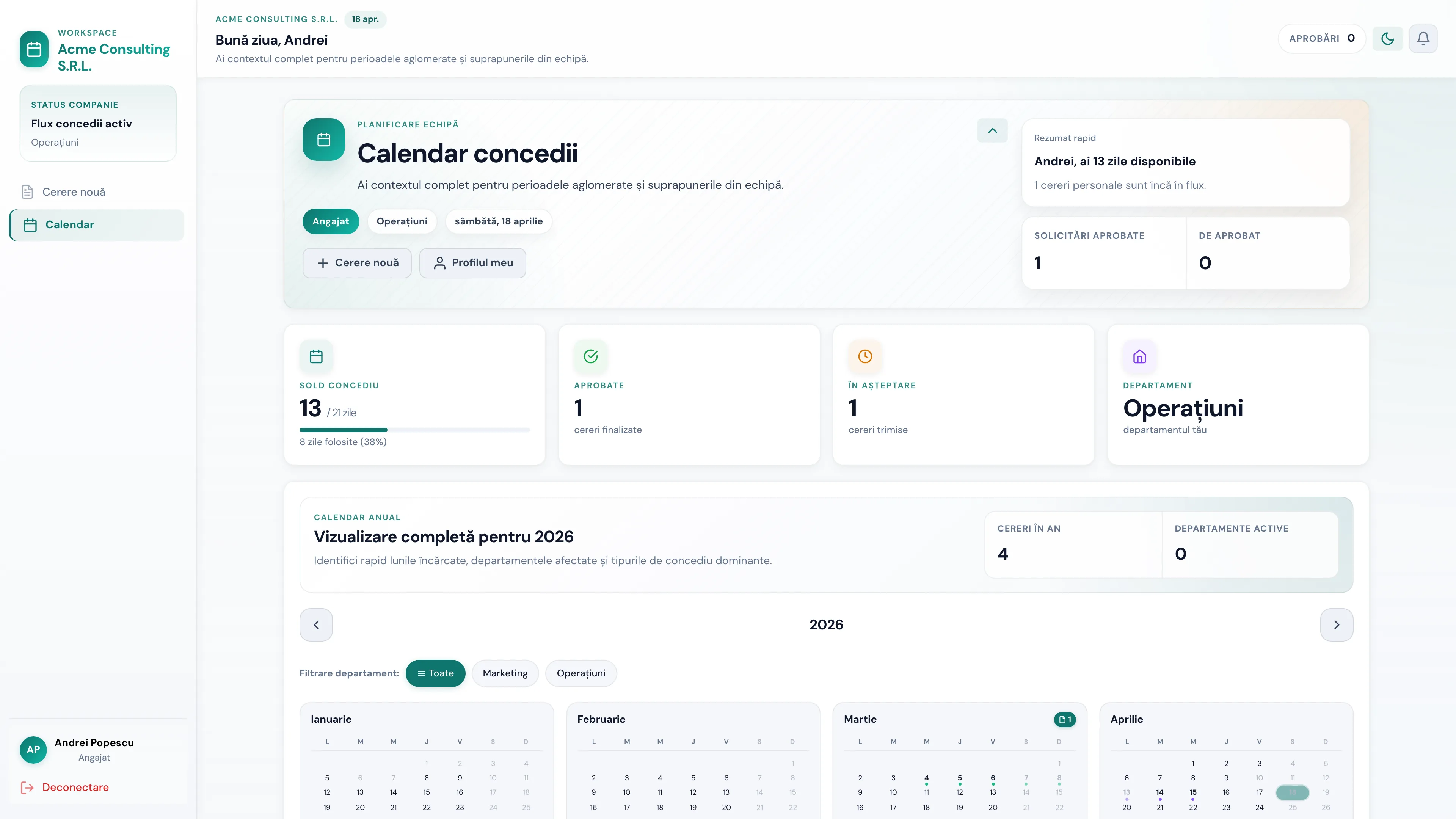
Instantly see where gaps are created and where you're covered.
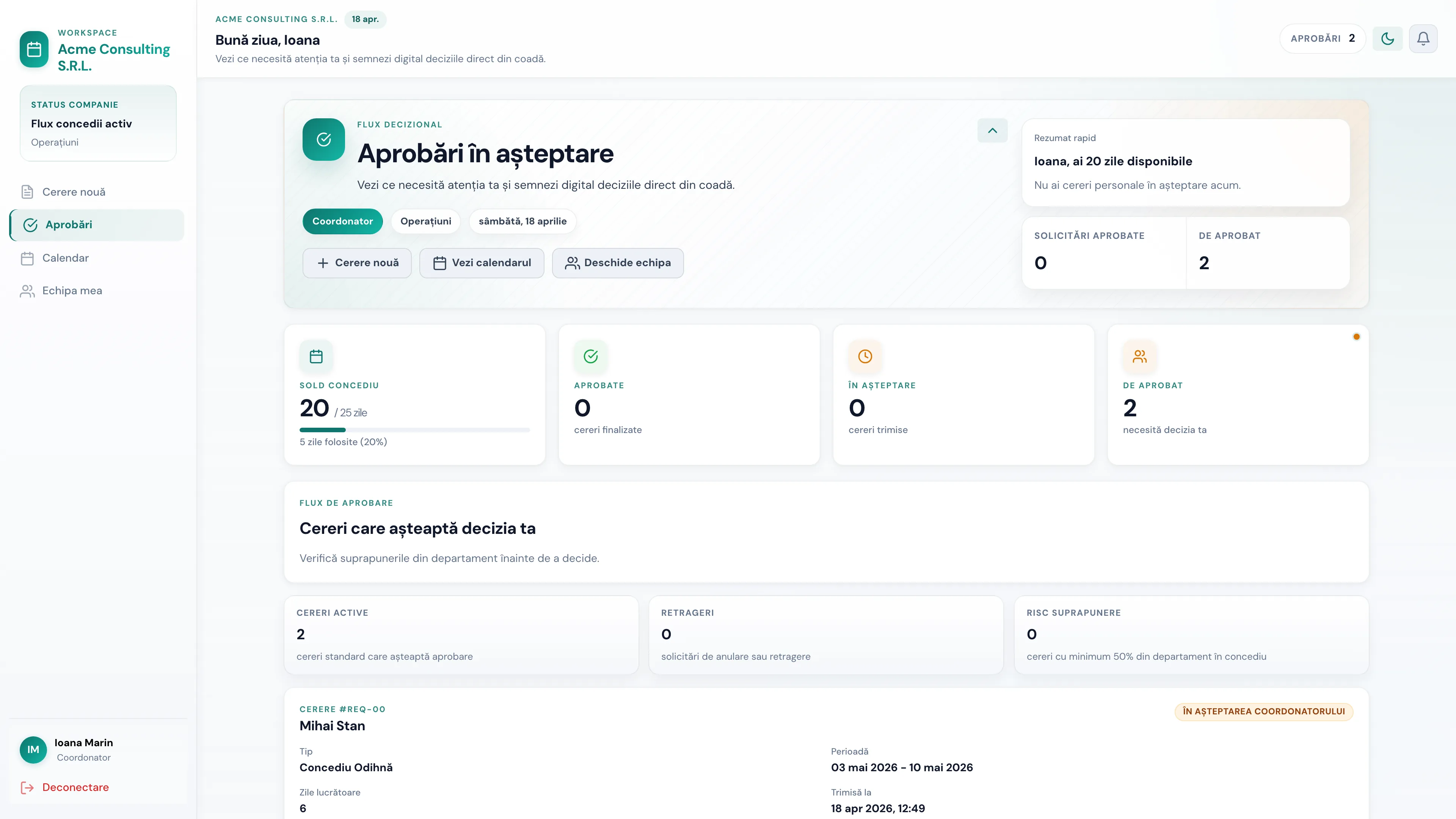
No more opening three sources to say yes or no.
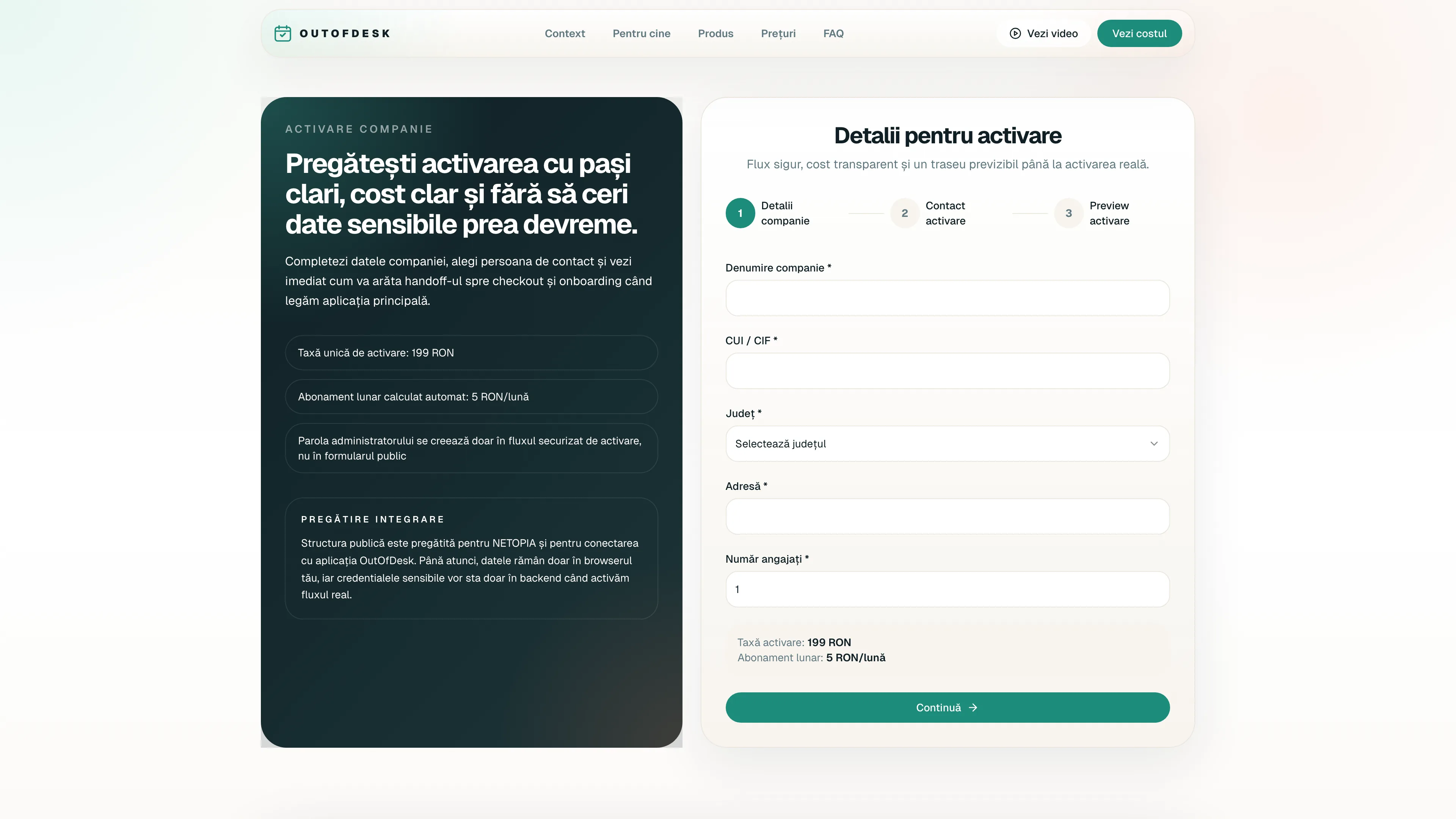
what the clip covers
See how you activate the company, invite the team, and how approvals enter the workflow. This shortens the path between interest and the purchasing decision.
Direct screenshots from OutOfDesk — employee, coordinator, admin and mobile views. Data shown is from a demo account, not a real customer.
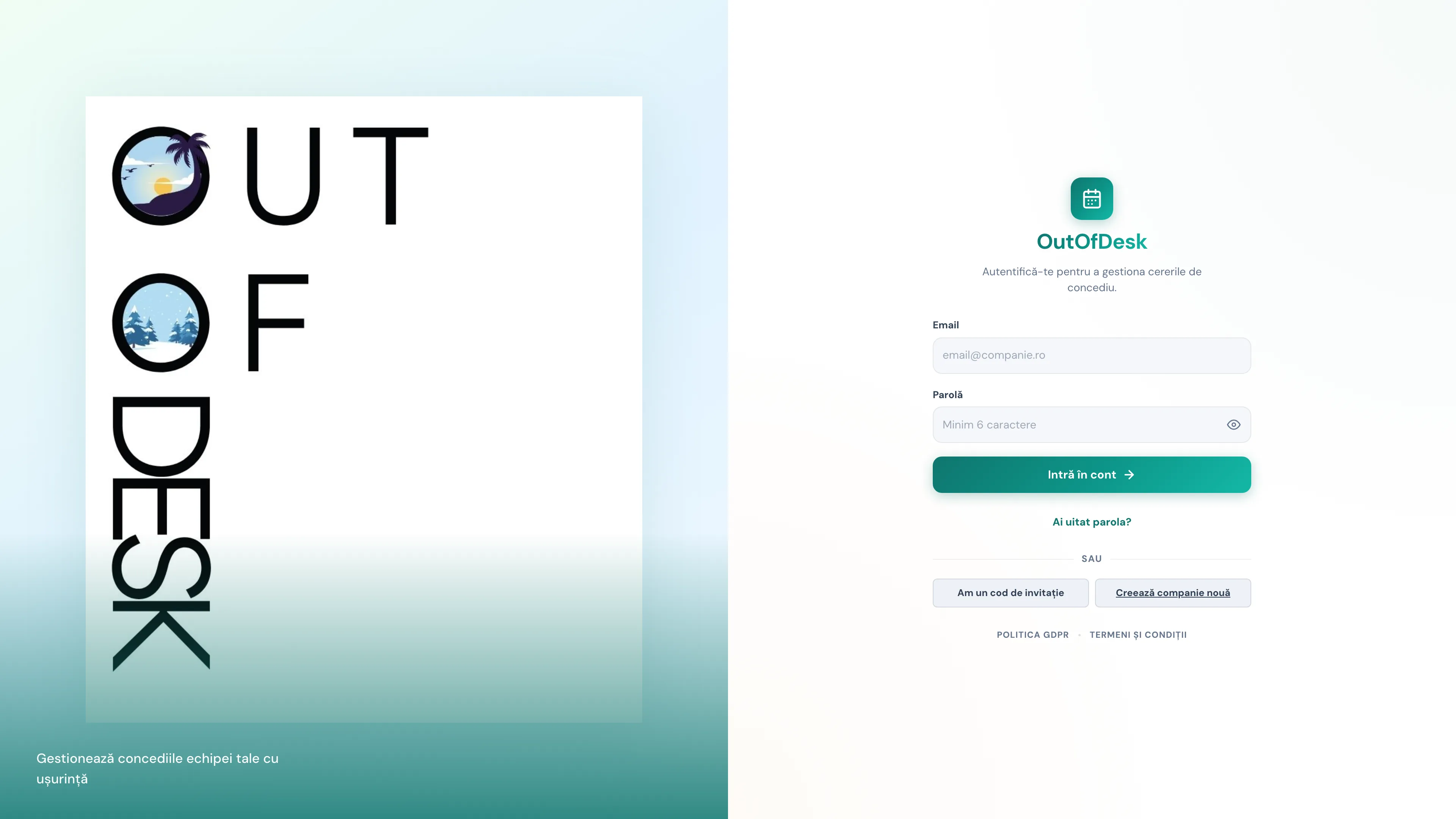
Sign-in screen
Quick login with email and password, or with an invitation code received by email.
Employee dashboard
Current request, days left, leave history and status of each item, all in one place.
Team calendar
Monthly view of all approved absences, filterable by department and leave type.
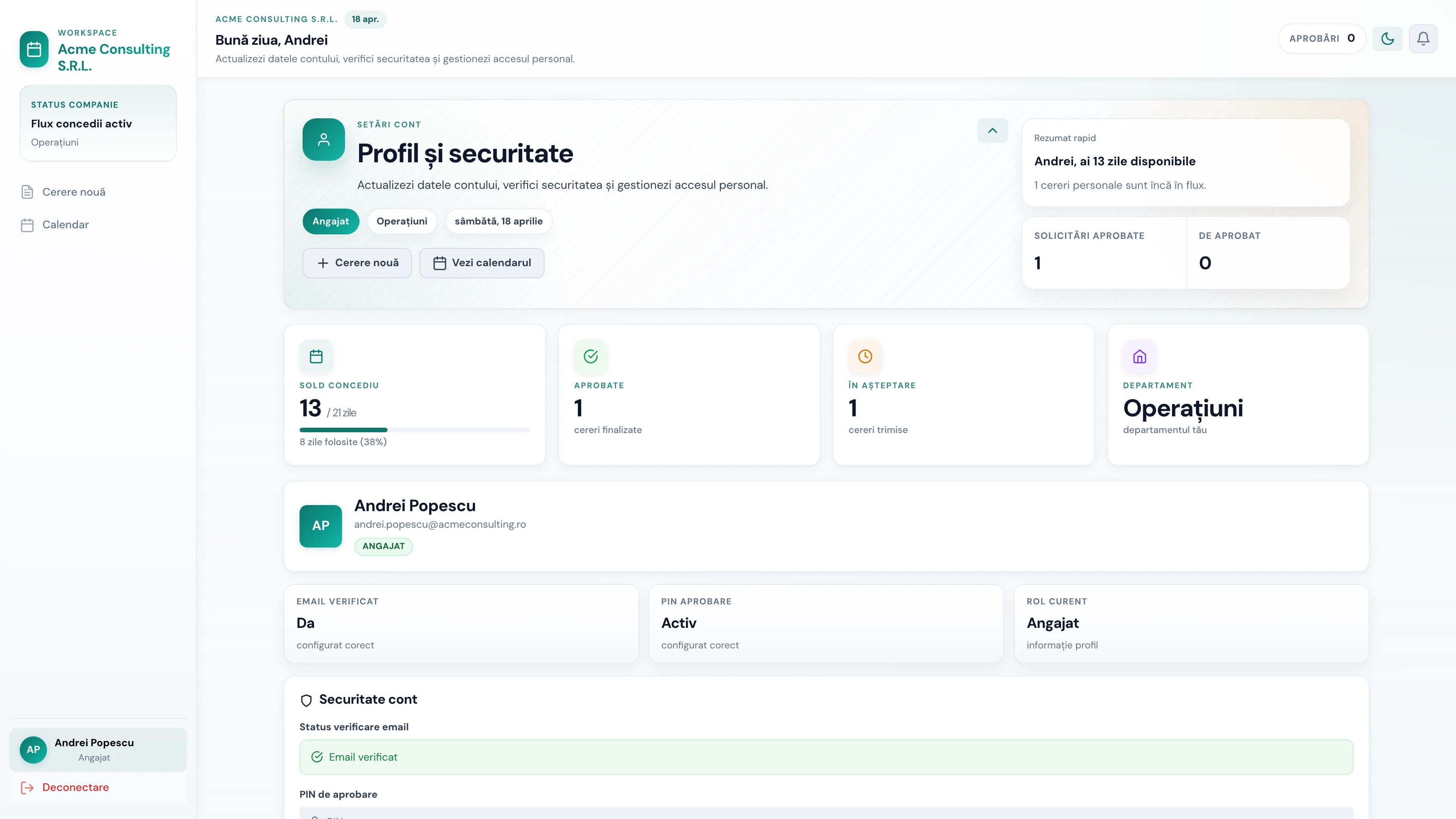
Profile & personal settings
Every employee configures their data, signature and preferences without calling HR.
Coordinator panel
Approvals wait in the coordinator's queue with team context and coverage signals.
Administrator panel
Admins get full access to users, departments, audit log and exports.
Mobile-first
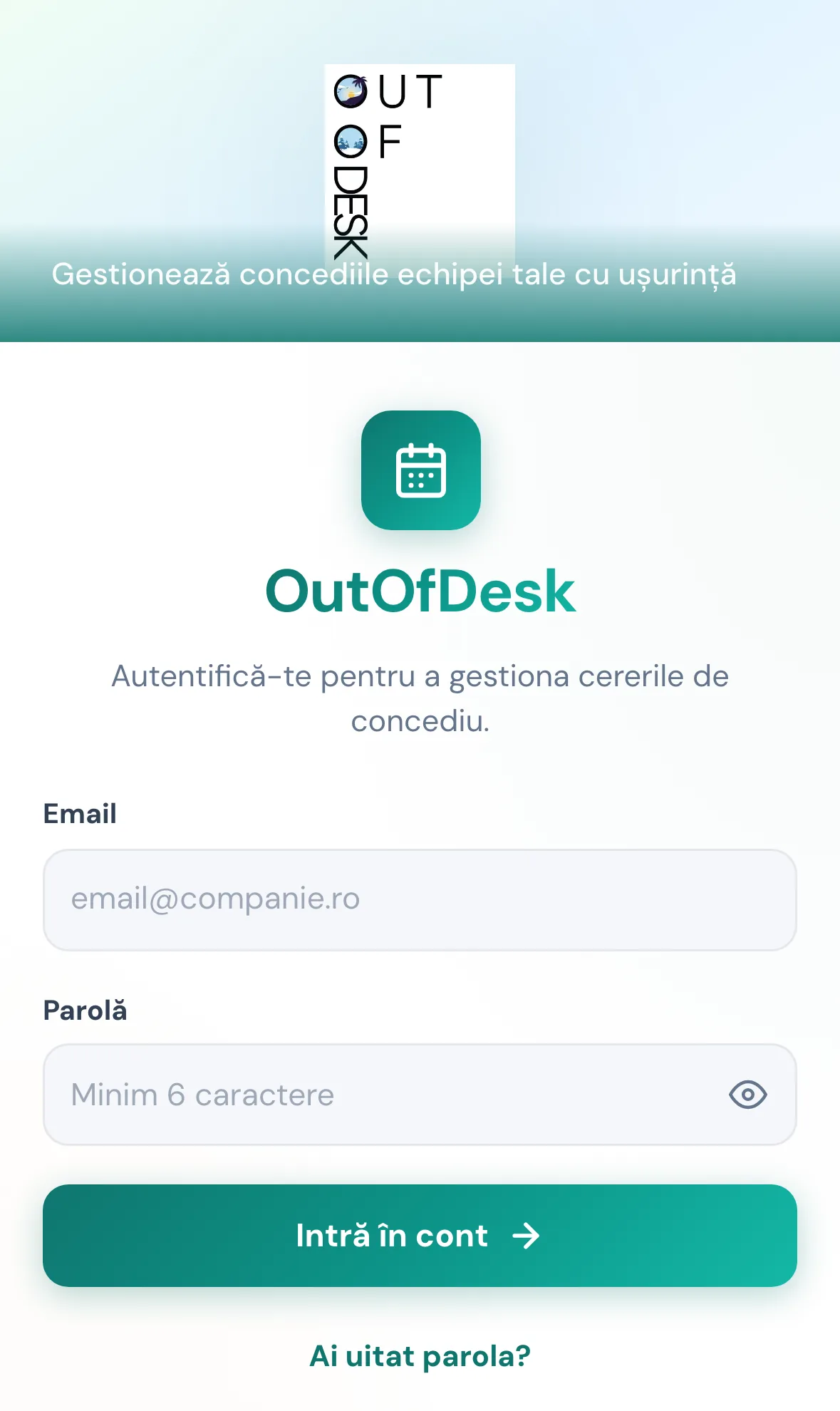
iPhone sign-in
The login screen adapted for phone, with the same options as desktop.
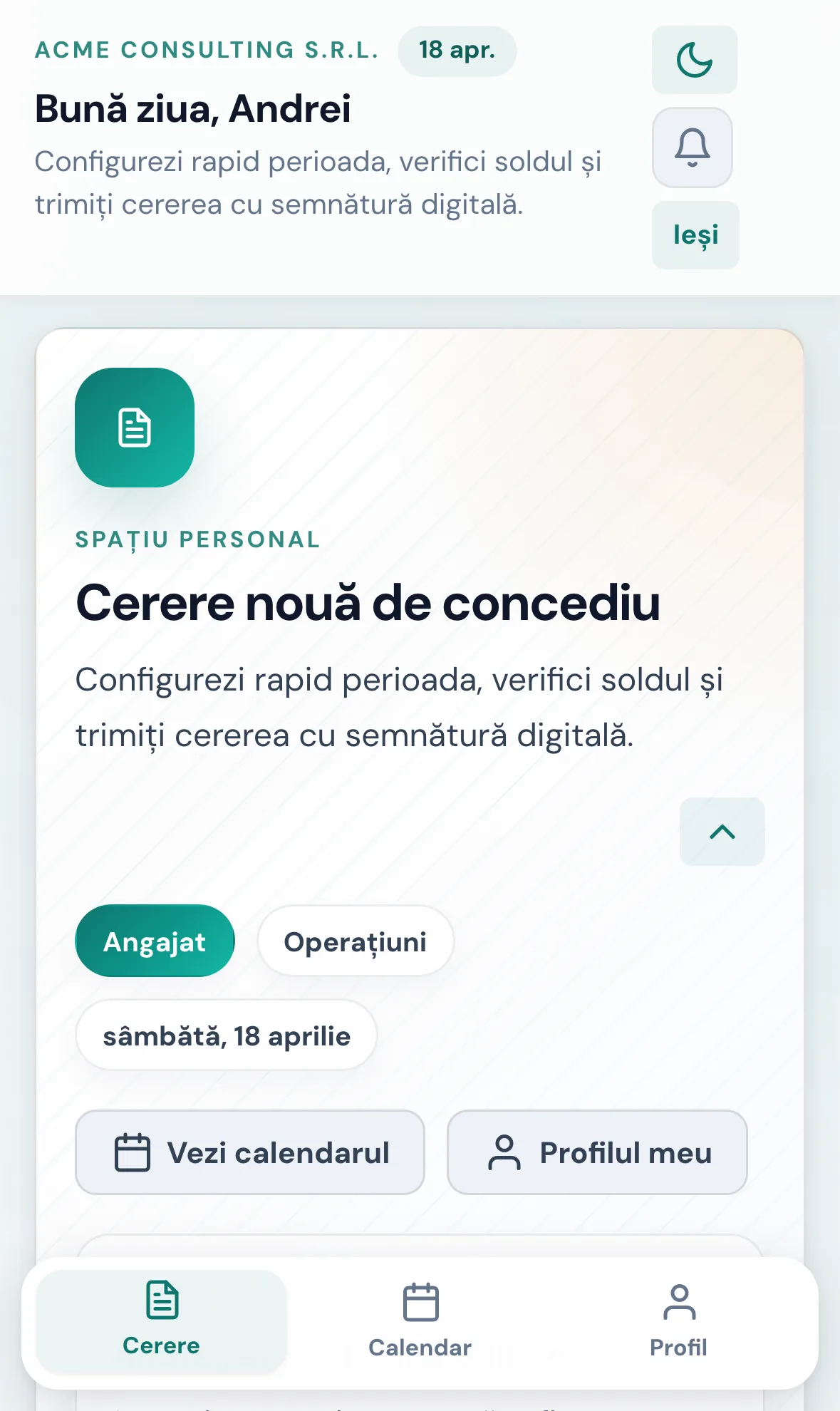
Mobile dashboard
Employees file requests straight from their phone, without opening a laptop.
activation
199 RON
one-time payment, when the company starts
monthly
120 RON
5 RON / employee / month
annually
1440 RON
no hidden costs
Clear pricing from the first visit. No confusing trial, no hidden discussions after the demo.
what you get
how to justify the budget
If you save just a few late approvals and a few hours of manual reconstruction per month, the cost becomes easy to defend.
You're not just paying for leave requests. You're paying for decisions made on time, clear coverage, and less work lost to operational chaos.
Serious buyers don't just ask how much it costs. They ask whether the implementation is realistic, whether the solution truly removes the chaos, and whether integration can stay controlled.
No, if the problem is already clear. The landing page shows video, images, and activation steps precisely so people can quickly see what changes and where control begins.
You can, but only if it doesn't cost you yet. When HR follows up manually, managers approve without context, and history is being reconstructed, Excel has already become more expensive than it seems.
That's exactly how it's designed right now. The public site stays separate, and the handoff to the app and checkout can be activated later without exposing sensitive keys or rewriting the experience.
what you want to achieve in the end
Not a nice page and yet another form. You want a solid reason for the person to say it's more expensive to stay in chaos than to activate OutOfDesk.
If you want to quickly understand the cost, the fit, and how activation works, here you'll find the essential answers.
Activate OutOfDesk and see how much it costs for your team. No demo, no waiting.